Adobe has never been especially known for friendliness or progressive developer tooling. At some point, for reasons I still do not fully understand, the company began making extension development much harder.
After the CC generation, Adobe discontinued Flash-based extension support. That part was understandable, but the replacement was weak: developers were pushed to rewrite everything in HTML with far more limited capabilities.
Then things got worse. On June 23, 2015, Adobe officially announced the end of Adobe Extension Manager support, without enabling CC 2015 extension installation properly. Developers were encouraged to move to the official marketplace, where installation would be automatic (for paid subscribers), but with Adobe taking 30%+ revenue share. Meanwhile, the marketplace itself remained outdated and unstable for both sellers and buyers.
Developers were not thrilled. To keep distributing through more practical channels (for example, Gumroad takes around 5%), alternative extension managers appeared (ZXP Installer and Anastasiy's Extension Manager) as well as installer scripts like PS-Installer. I decided to contribute too.

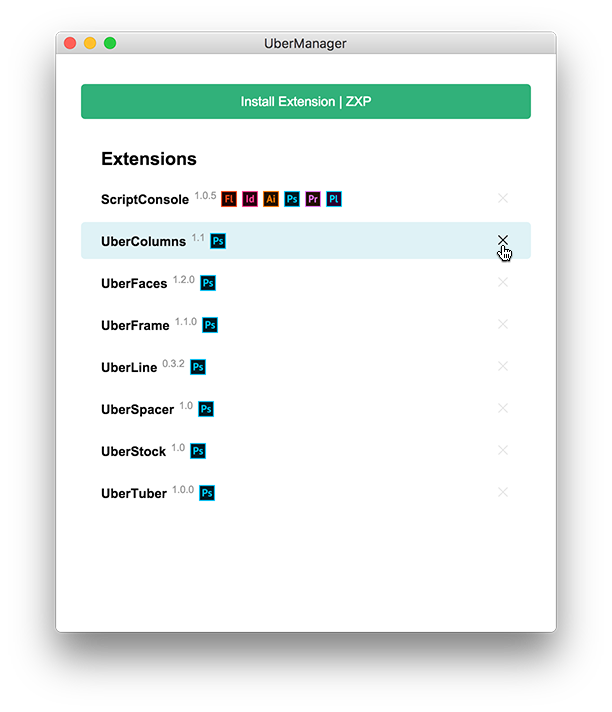
UberManager is a free, open-source, cross-platform (Windows and OS X) extension manager for Adobe products.
→ Download the latest version for Windows or OS X
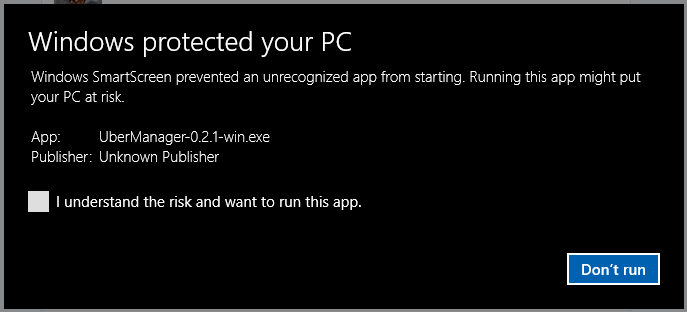
You may see a warning dialog during installation. Check the box and click Run. This appears because UberManager was not code-signed at the time. A signing certificate starts around $200/year, which was difficult to justify for a side project.
The app is built with HTML/Node.js and Electron. If this stack is familiar to you, I would appreciate any contribution: